

- Login to your Account
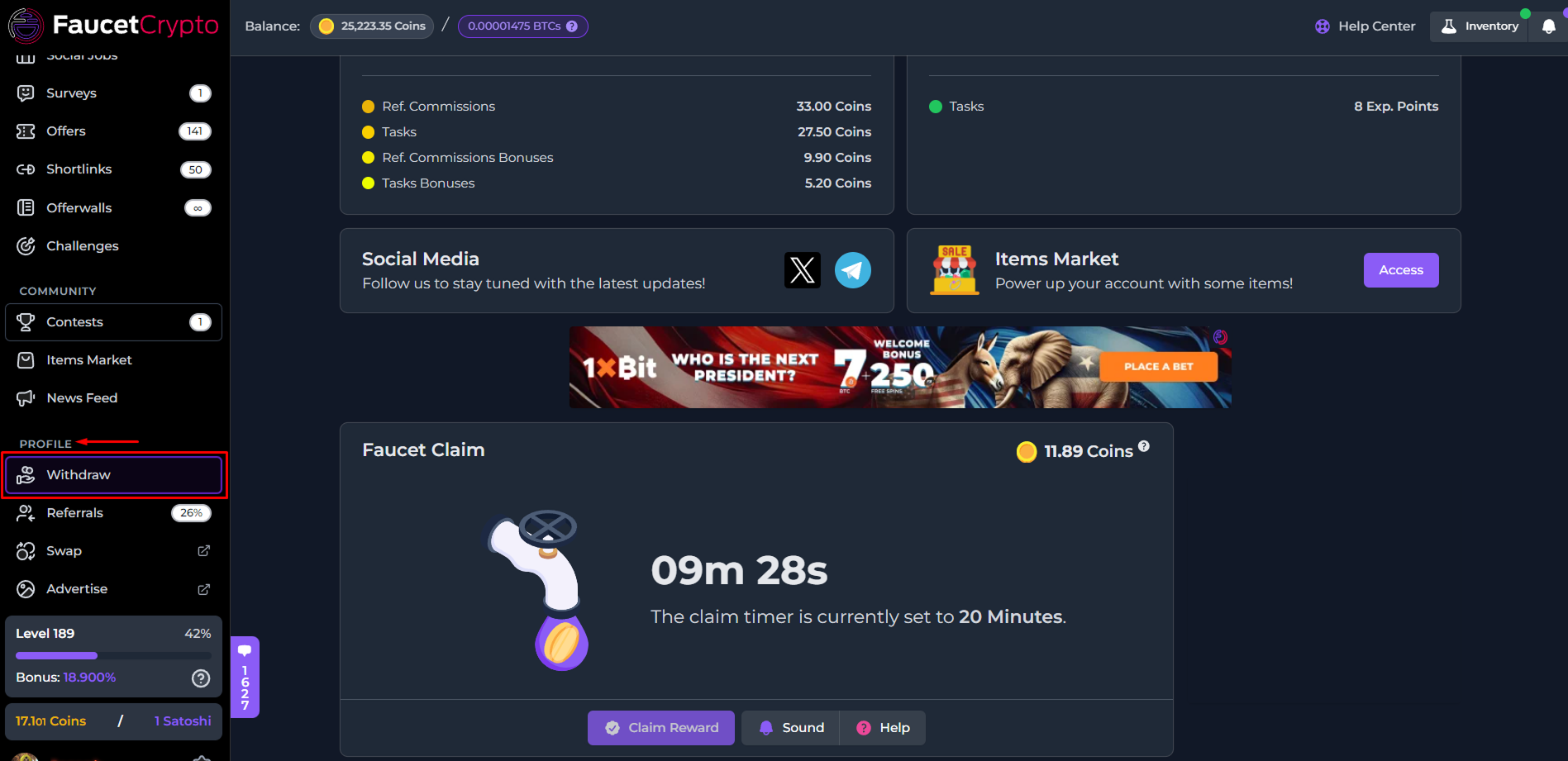
- Scroll down the left-side menu to the PROFILE section, and click on the Withdraw option/page under it
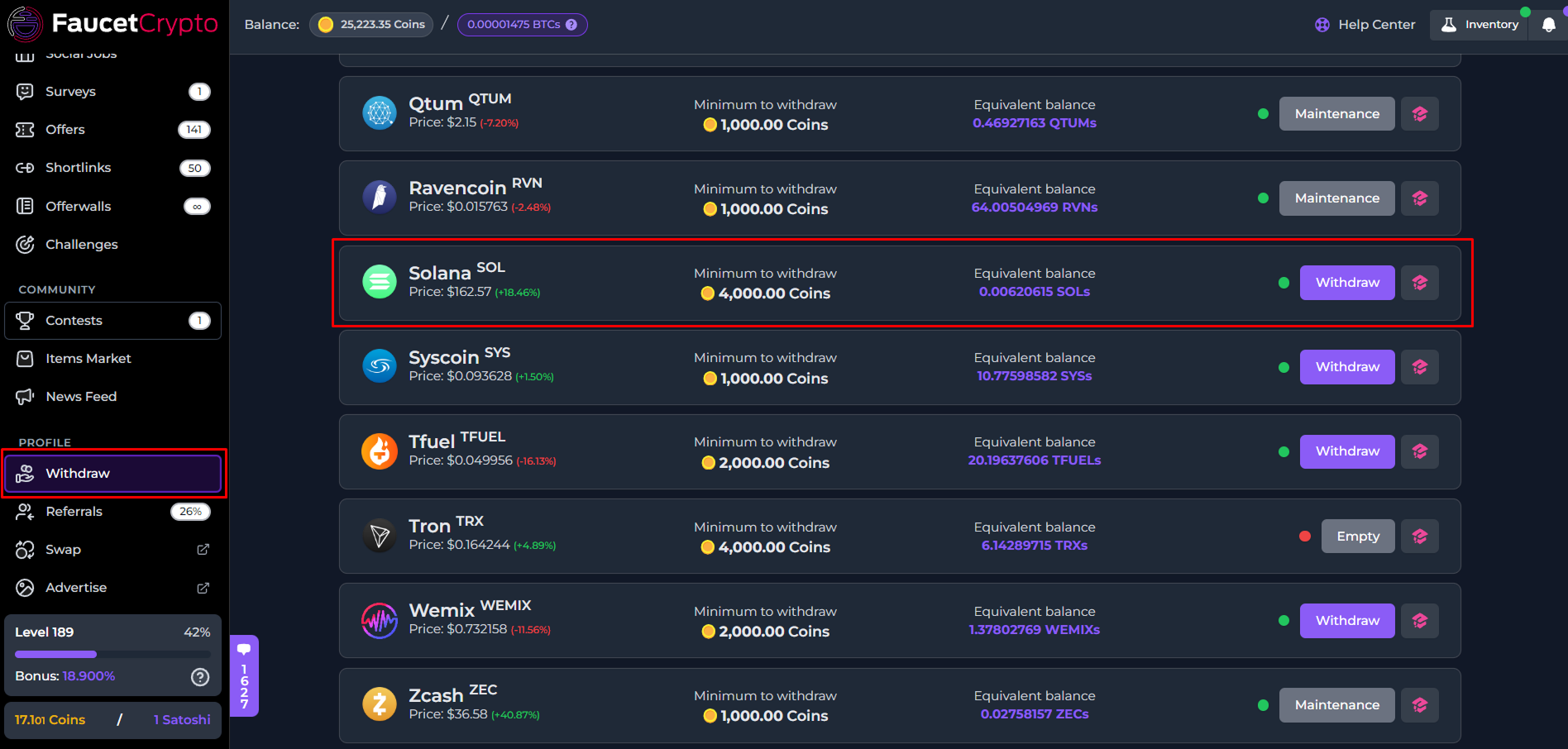
- At the Withdrawal page, find the cryptocurrency you want to withdraw, and click on its withdraw button. In this example, we will be withdrawing Solana (SOL)
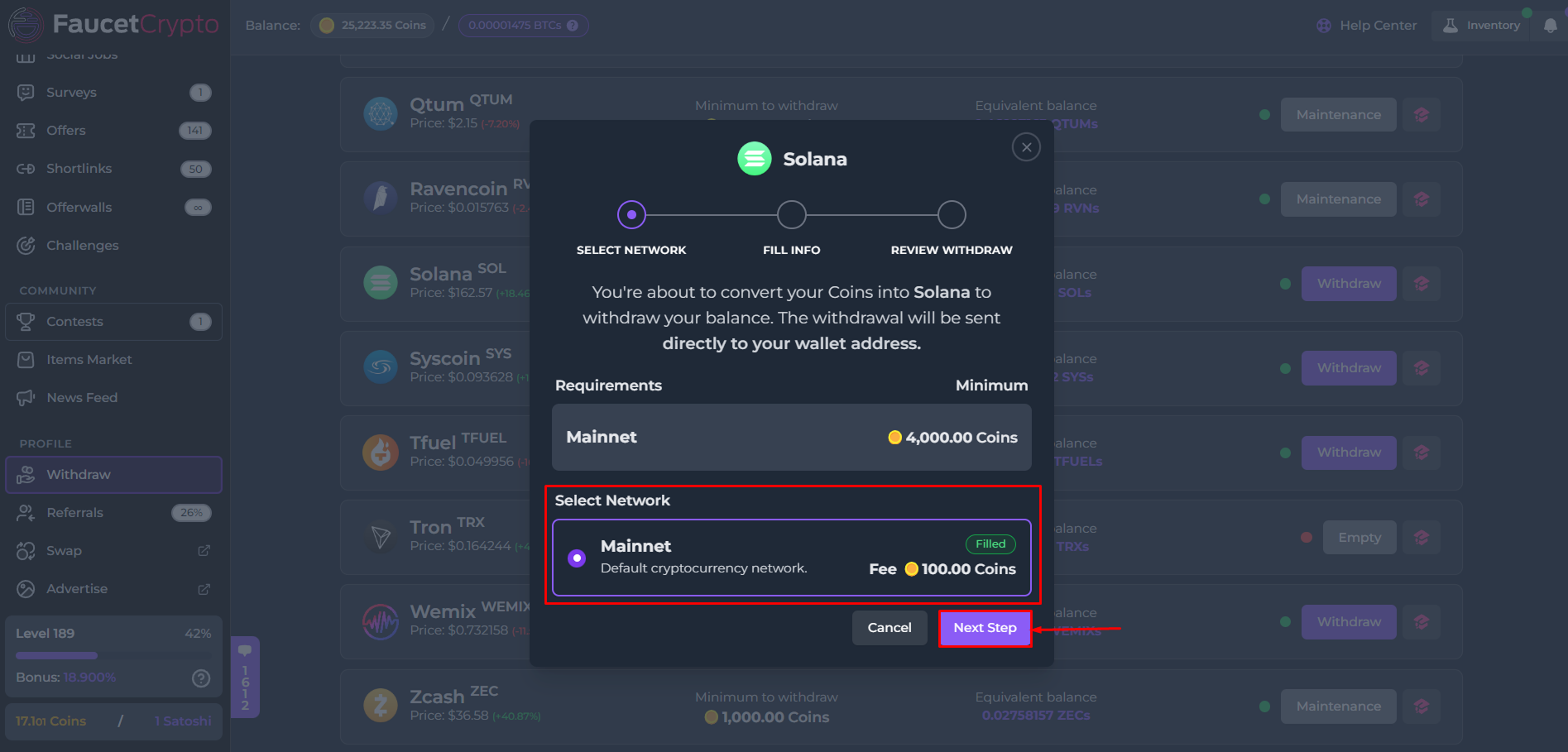
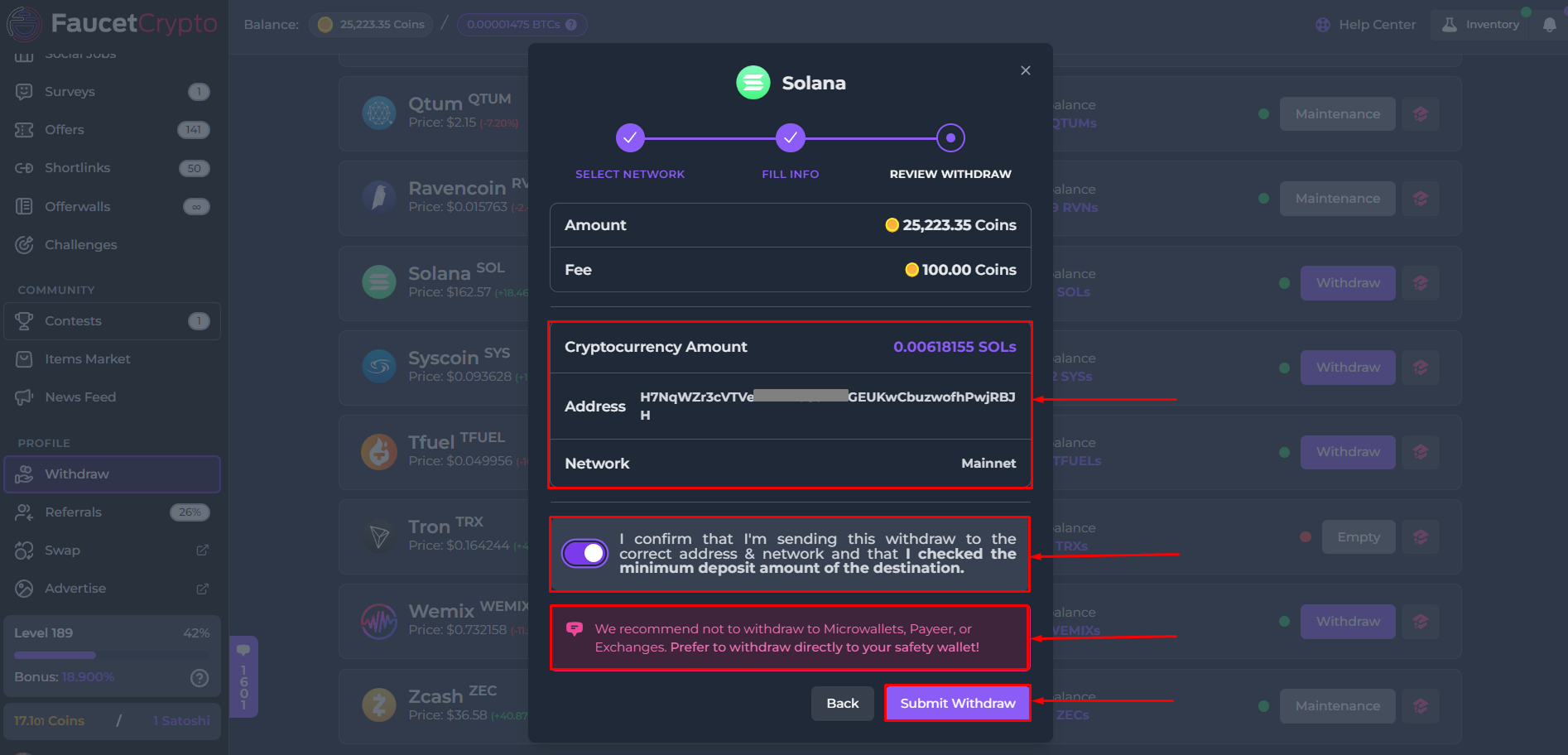
- A mini-popup or modal will show with information to initiate the withdrawal process through a series of three (3) steps — Select Network, Fill Info, Review Withdraw.
- Step I: Select Network — Confirm the network for the withdrawal and click on “Next Step”
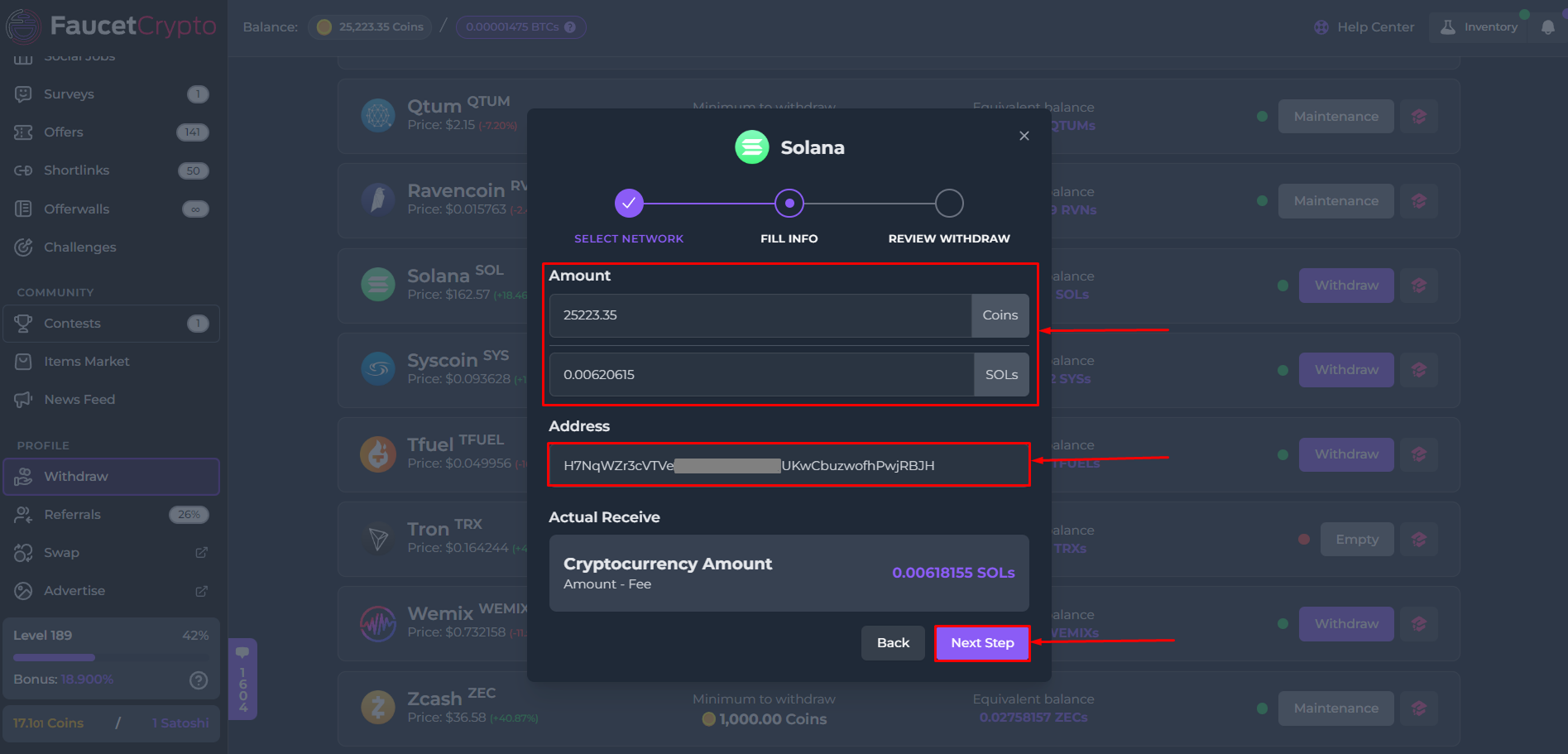
- Step II: Fill Info — Fill in the amount of Coins you want to withdraw. Paste your wallet address into the designated box and click on “Next Step”
- Step III: Review Withdraw — Review all the details. Read the instructions & warnings carefully. After reading, flip the switch to confirm your wallet address is correct and you had confirmed the minimum amount of cryptocurrency which can be deposited in it. Then finally, click on “Submit Withdraw”
Note:
- Pay attention to the dotted colour for each cryptocurrency on the withdrawal page, as each colour signifies availability of balances to withdraw:
- It is very important that you confirm your wallet address is correct before clicking the “Submit withdraw” button. Once clicked, the transaction cannot be canceled