

- Login to your Account
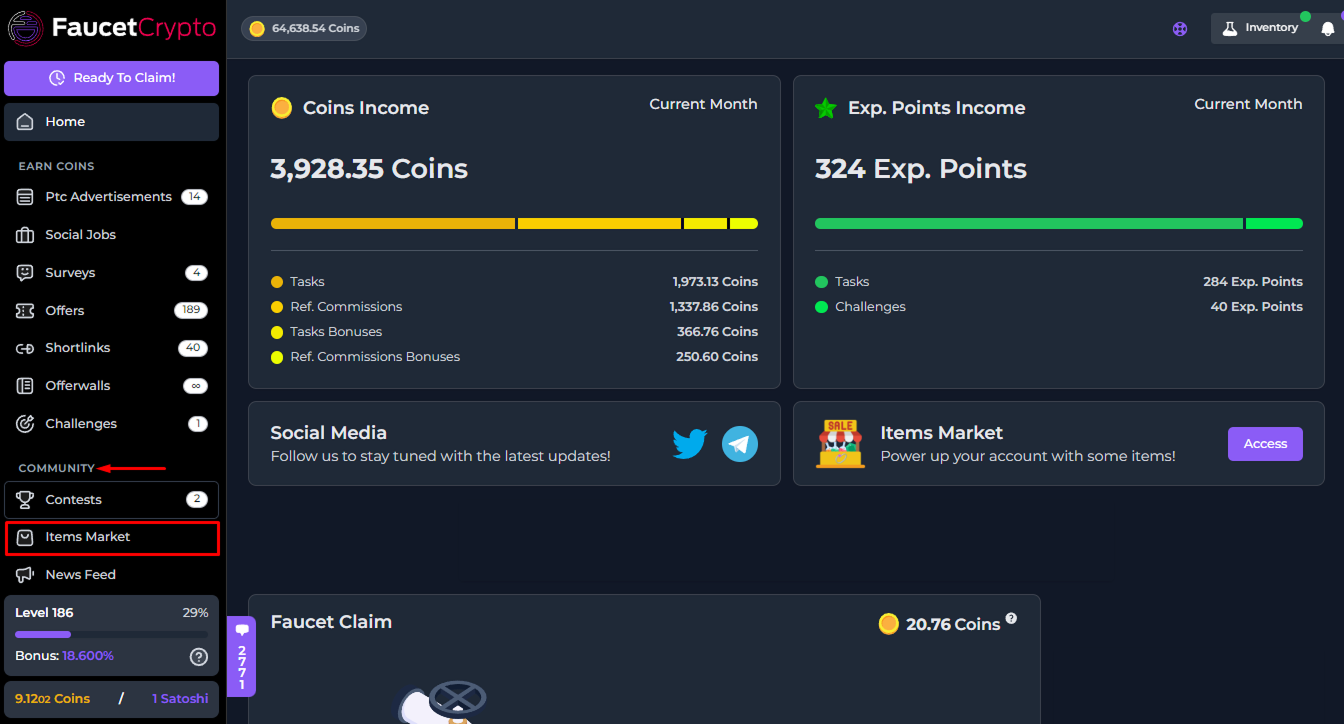
- Scroll down the left-side menu to the COMMUNITY section, and click on the Items Market option/page under it
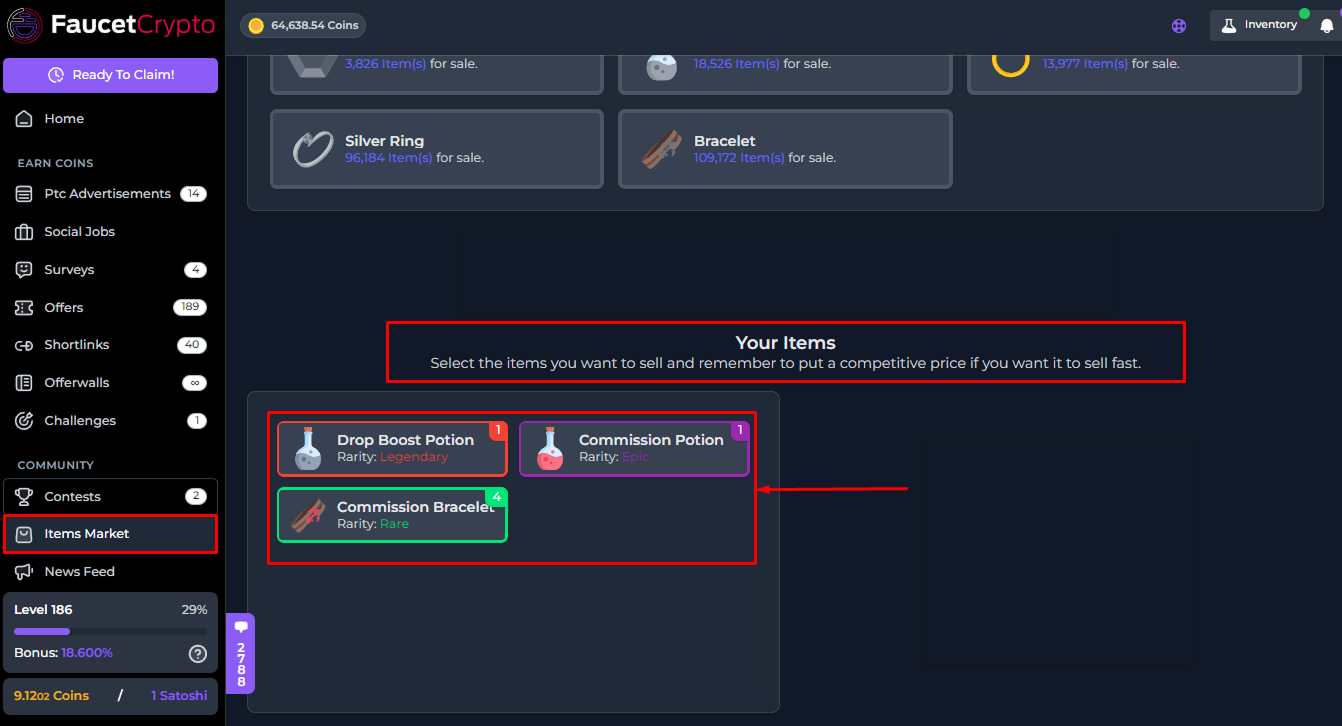
- At the Items Market page, scroll down to find your available Items in a box as shown in the image below. Click on the specific item you want to sell (in this illustration, we’ll be selling a Rare Commission Bracelet)
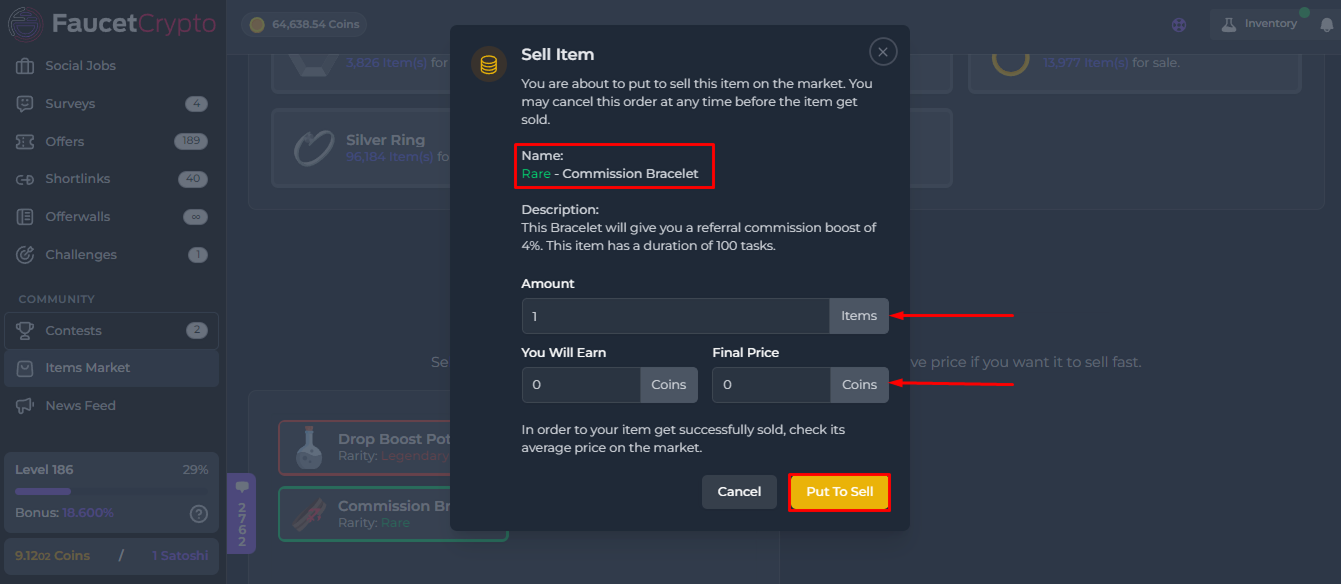
- A small window with more information will pop up. Read the information carefully. Fill in the Amount/Number of items you want to sell, input the Final price of your choice, and click on “Put to sell”
How to cancel a Sell order
To cancel a Sell Order — if you change your mind about selling an Item perhaps — simply scroll down the Market page to the bottom to find your Items which are placed on the Market for sell. They will be listed in a table titled “Selling List”. Slide the table across and click on “Cancel” for the specific item of which you want to cancel it’s sell order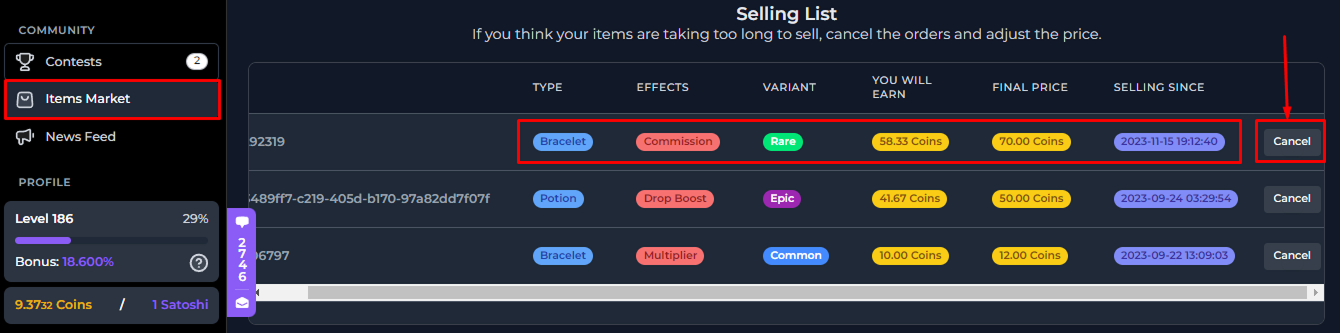
Tip: The cheaper the price, the faster your Item could get bought. You can view the base price of any Item in the marketplace to set your price