

- Login to your Account
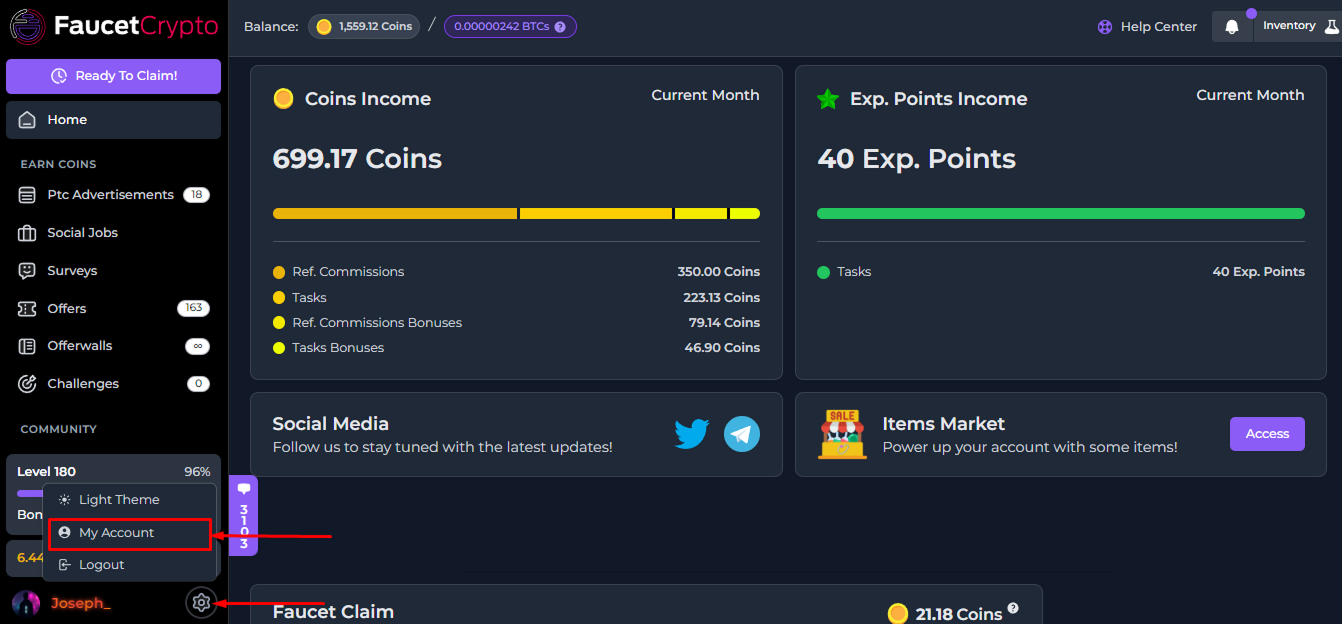
- Click on the Settings icon at the bottom of the side menu and select “My Account” to access your Profile page
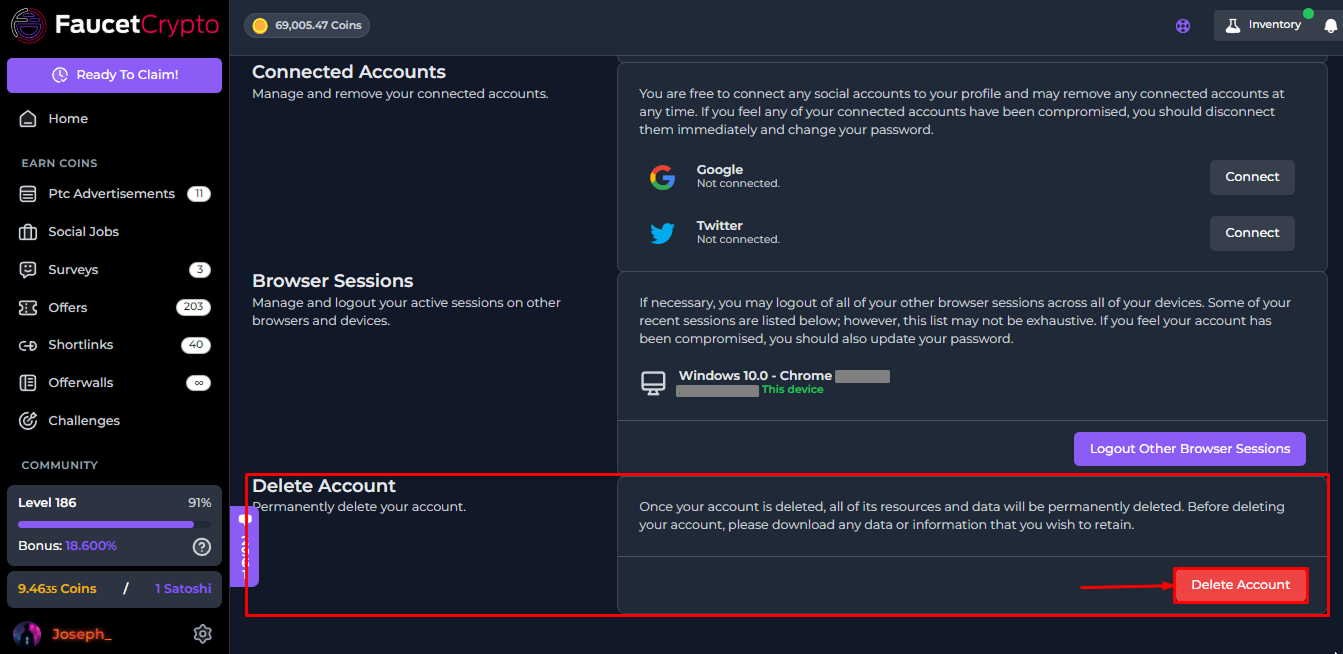
- At the Settings page, scroll to the bottom to find the “Delete Account” box. Read the warning carefully, and click on the red “Delete Account” button to delete your account & data permanently
Note: Be careful. Once an account is deleted, it cannot be recovered nor restored again