> ## Documentation Index
> Fetch the complete documentation index at: https://faucetcrypto.mintlify.site/llms.txt
> Use this file to discover all available pages before exploring further.
# How to withdraw from Faucet Crypto?
In order to withdraw from **Faucet Crypto**, you need to have accumulated the required minimum amount of Coins (or more) to withdraw, and have set up/own a crypto wallet. In this guide, we will use Solana (SOL) to illustrate how to withdraw **crypto** from your account to an external platform or wallet.
Follow the steps below:
1. **Login** to your **Account**
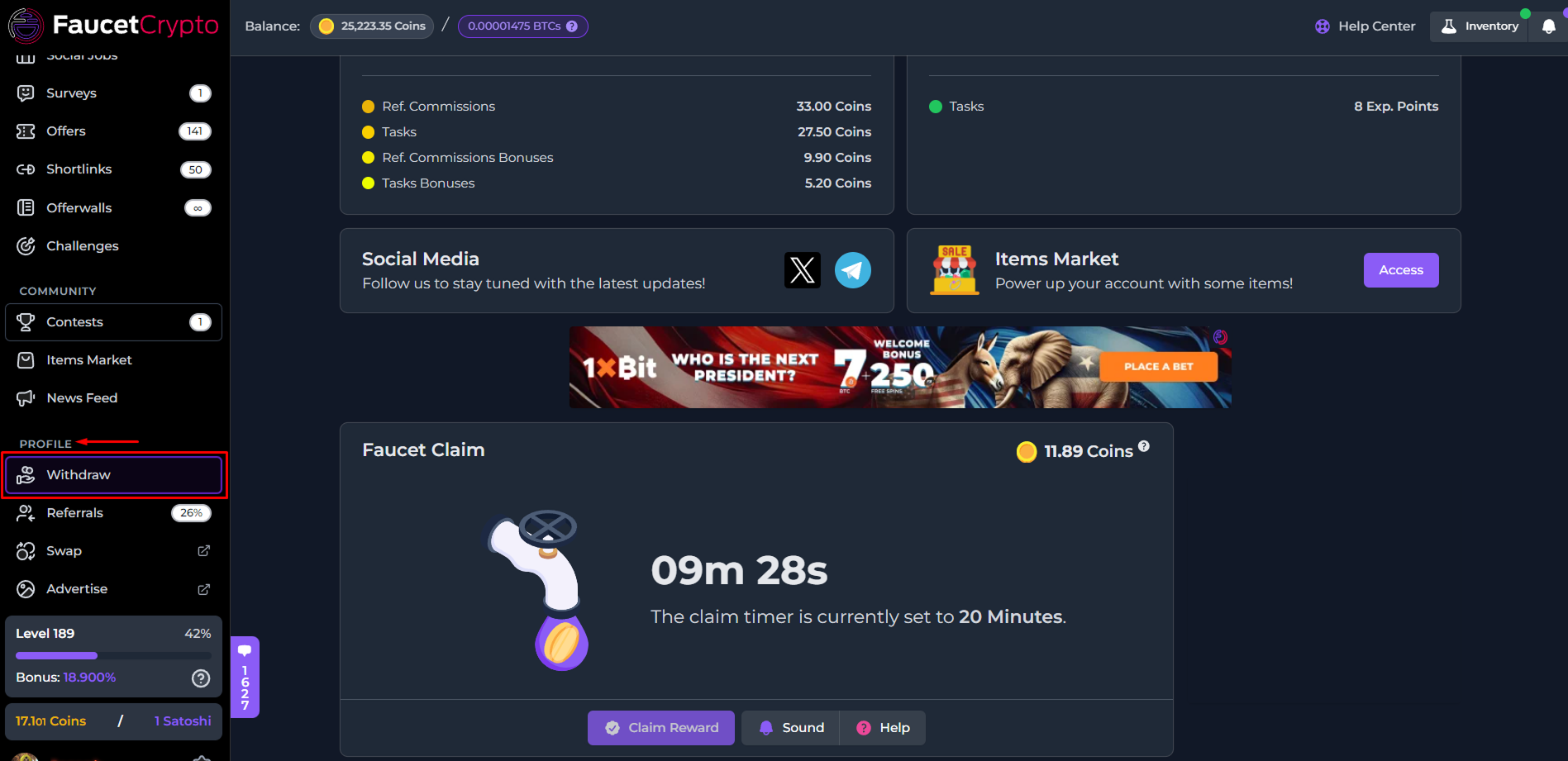
2. Scroll down the left-side menu to the **PROFILE** section, and click on the **Withdraw** option/page under it
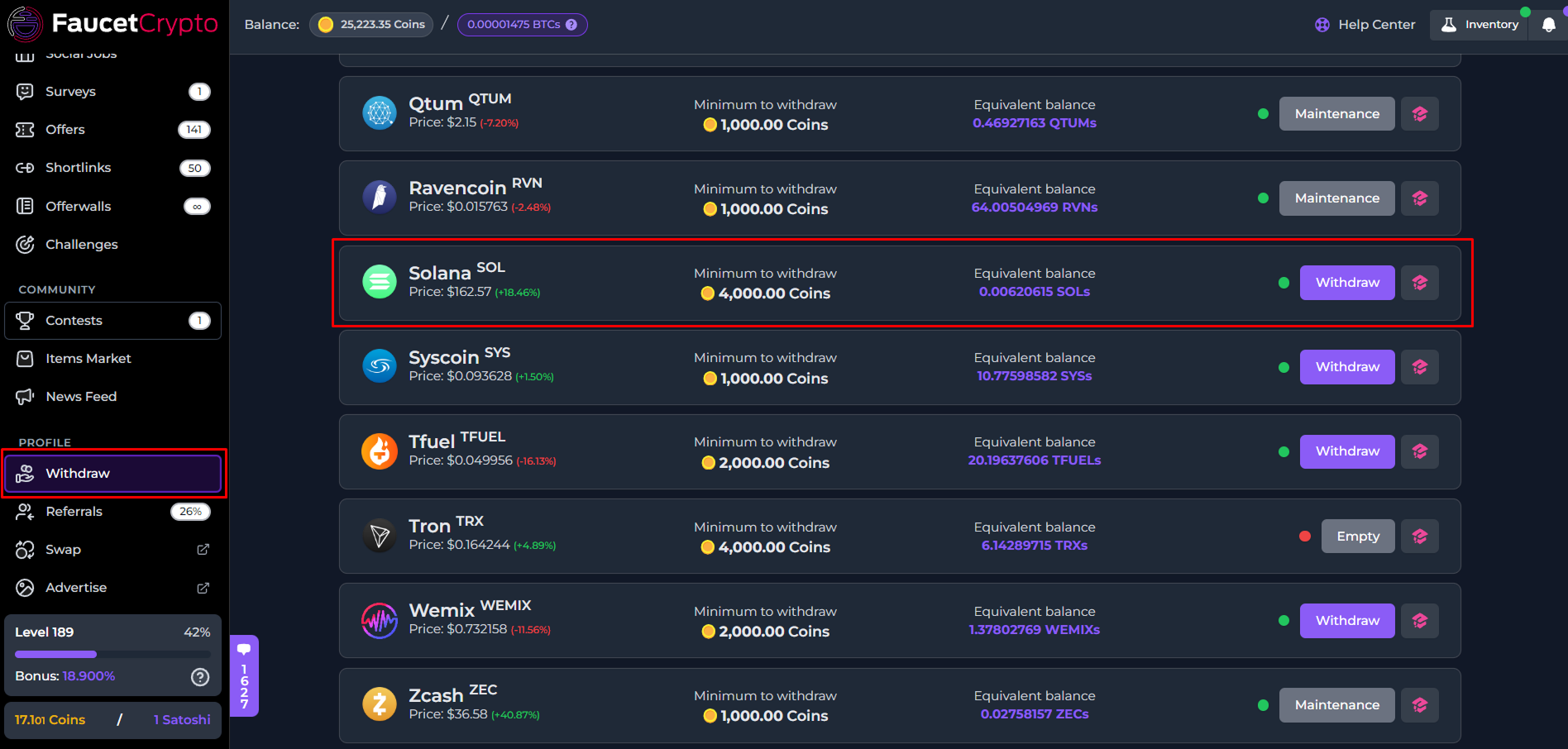
3. At the Withdrawal page, find the **cryptocurrency** you want to withdraw, and click on its **withdraw** button. In this example, we will be withdrawing Solana (SOL)
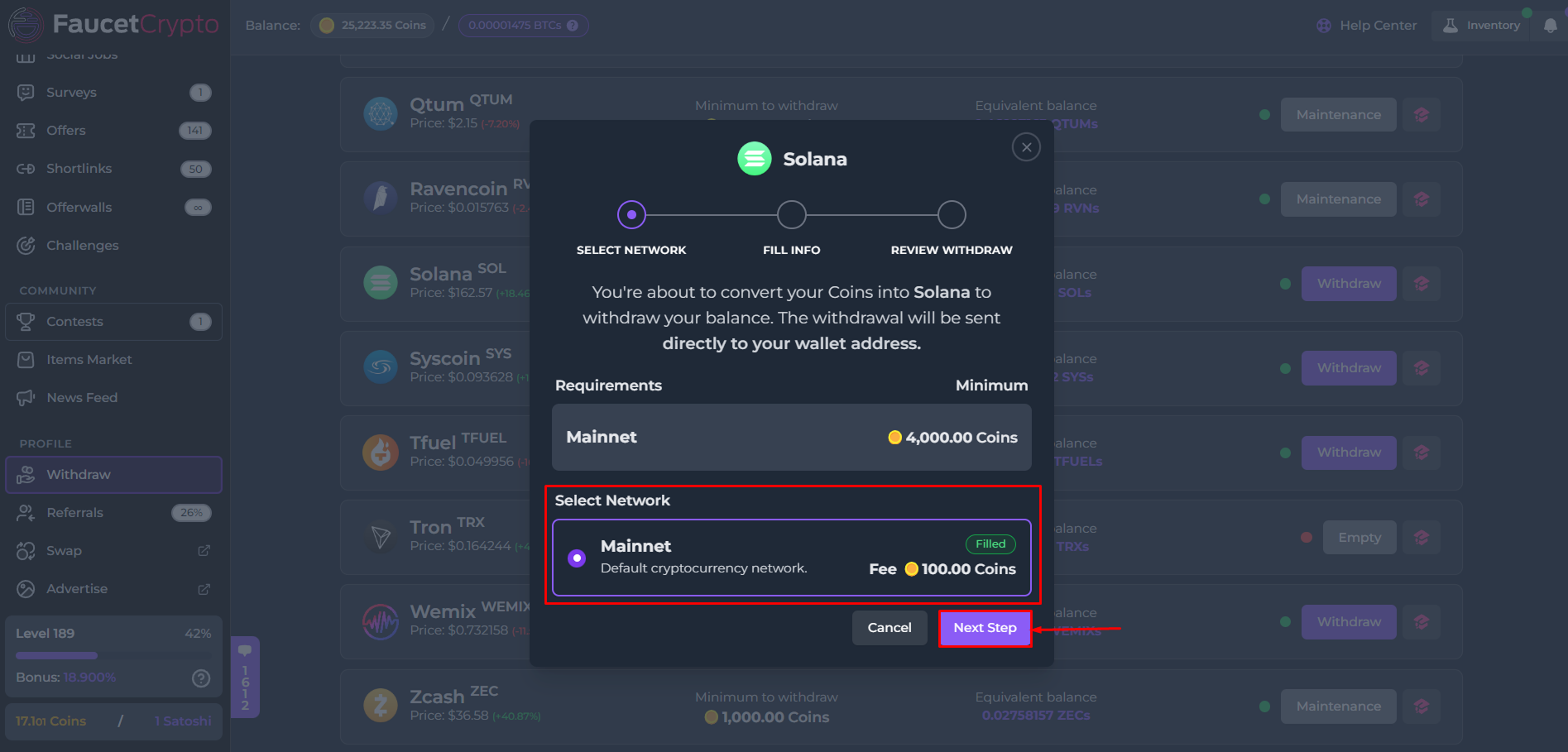
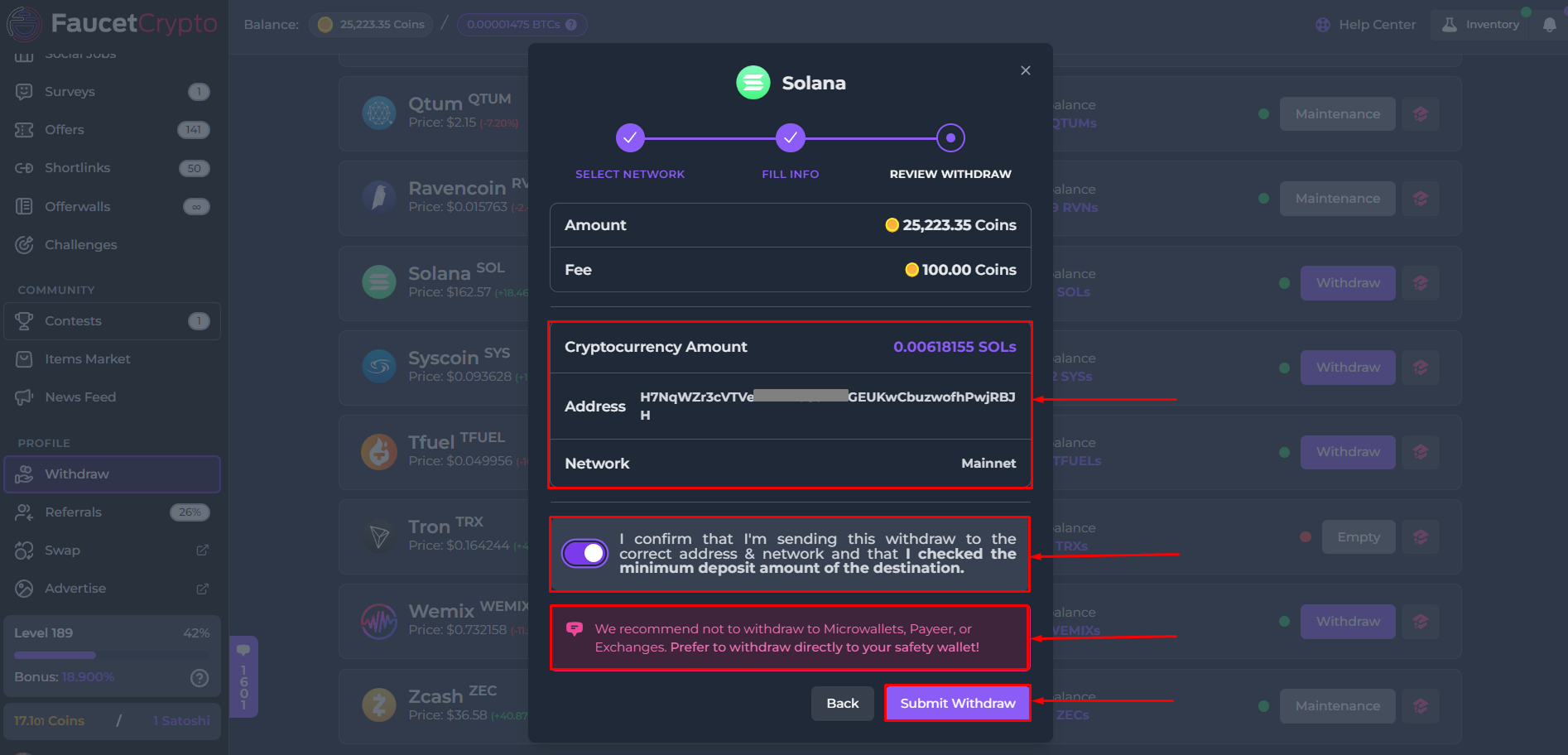
4. A mini-popup or modal will show with information to initiate the withdrawal process through a series of three (3) steps — ***Select Network***, ***Fill Info***, ***Review Withdraw***.
* **Step I**: **Select Network** — Confirm the network for the withdrawal and click on "***Next Step***"
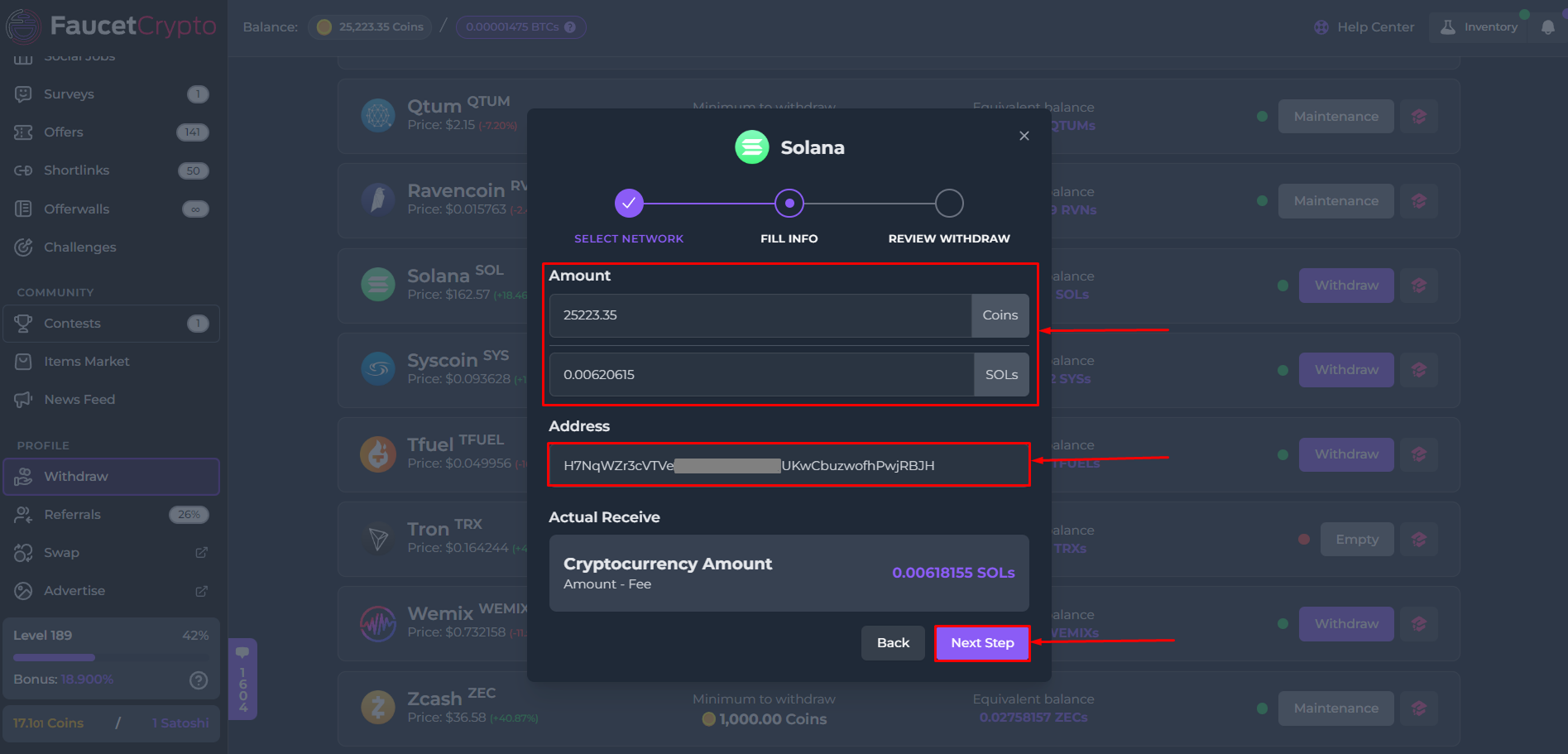
* **Step II**: **Fill Info** — Fill in the amount of Coins you want to withdraw. Paste **your wallet address** into the designated box and click on "***Next Step***"
* **Step III**: **Review Withdraw** — Review all the details. Read the instructions & warnings carefully. After reading, flip the switch to confirm your wallet address is correct and you had confirmed the minimum amount of cryptocurrency which can be deposited in it. Then finally, click on "***Submit Withdraw***"
**Note:**
* *Pay attention to the dotted colour for each cryptocurrency on the withdrawal page, as each colour signifies availability of balances to withdraw:*
🟢 - *The balance is filled. You can withdraw*
🟡 - *Balance is filled but very low. You may withdraw*
🔴 - *Balance is empty. Please wait for it to get refilled*
* *It is very important that you confirm your wallet address is correct before clicking the "Submit withdraw" button. Once clicked, the transaction cannot be canceled*
This documentation is built and hosted on [Mintlify](https://mintlify.com), a developer documentation platform.