> ## Documentation Index
> Fetch the complete documentation index at: https://faucetcrypto.mintlify.site/llms.txt
> Use this file to discover all available pages before exploring further.
# How to complete Bitcotasks PTC ads successfully
Bitcotasks PTC ads are easy to complete whether on a laptop or a mobile device. Follow this detailed guide on the process:
1. **Login** to your **Account**
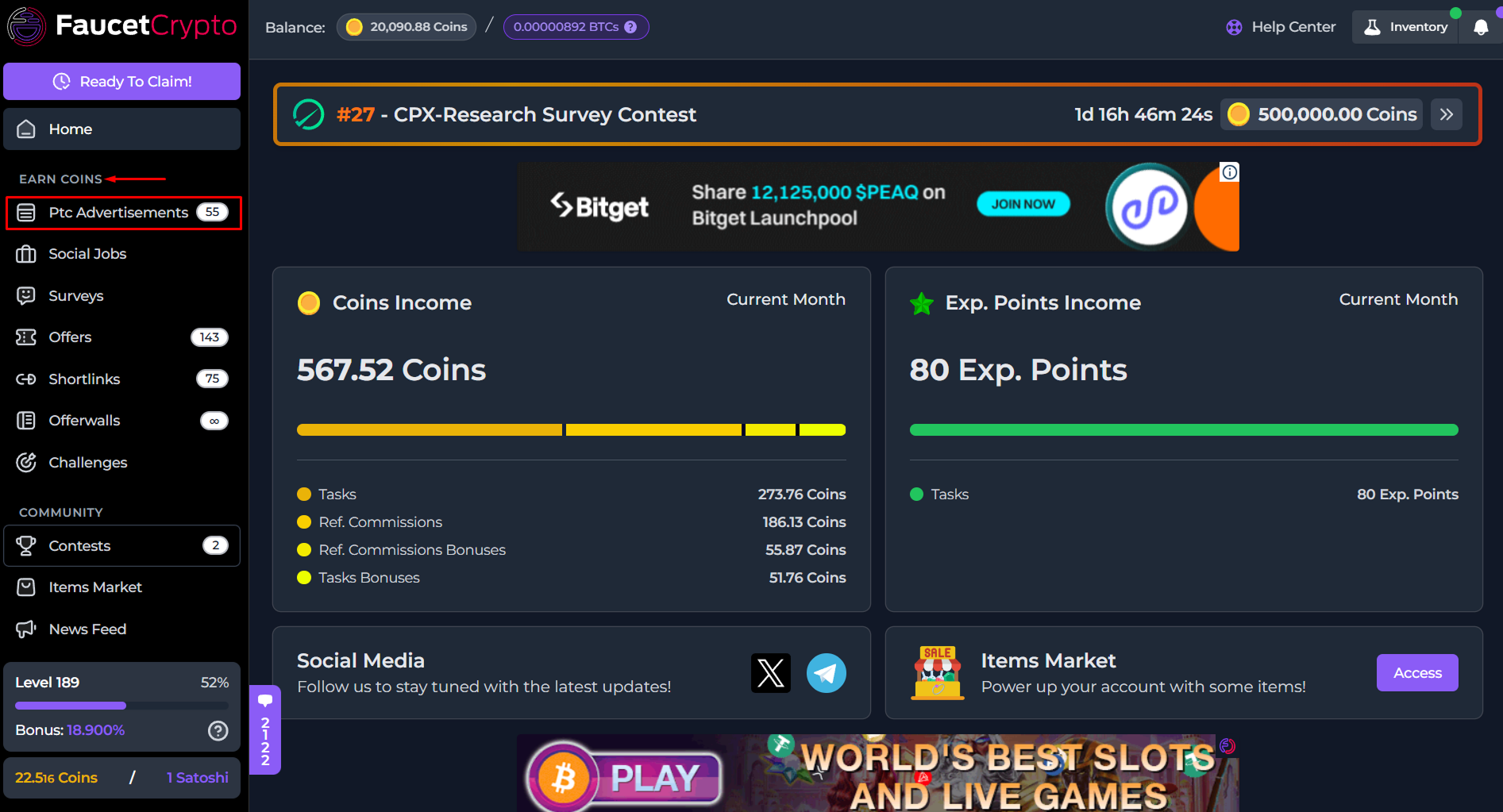
2. Click on **PTC Advertisements** in the left-side menu under the **EARN COINS** section
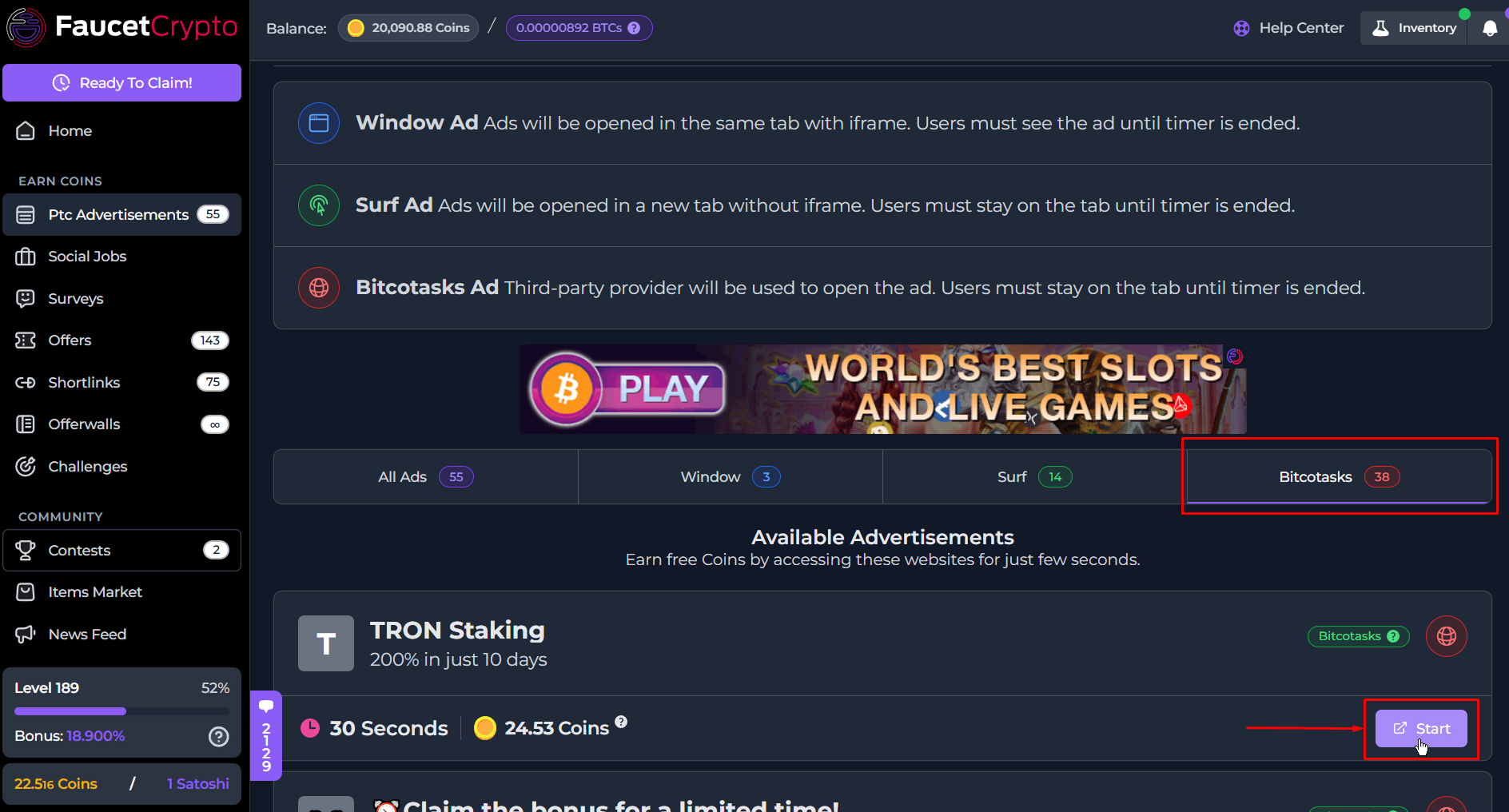
3. At the **PTC Advertisement page**, switch over to the **Bitcotasks tab** and click "***Start***" for any ad under that tab
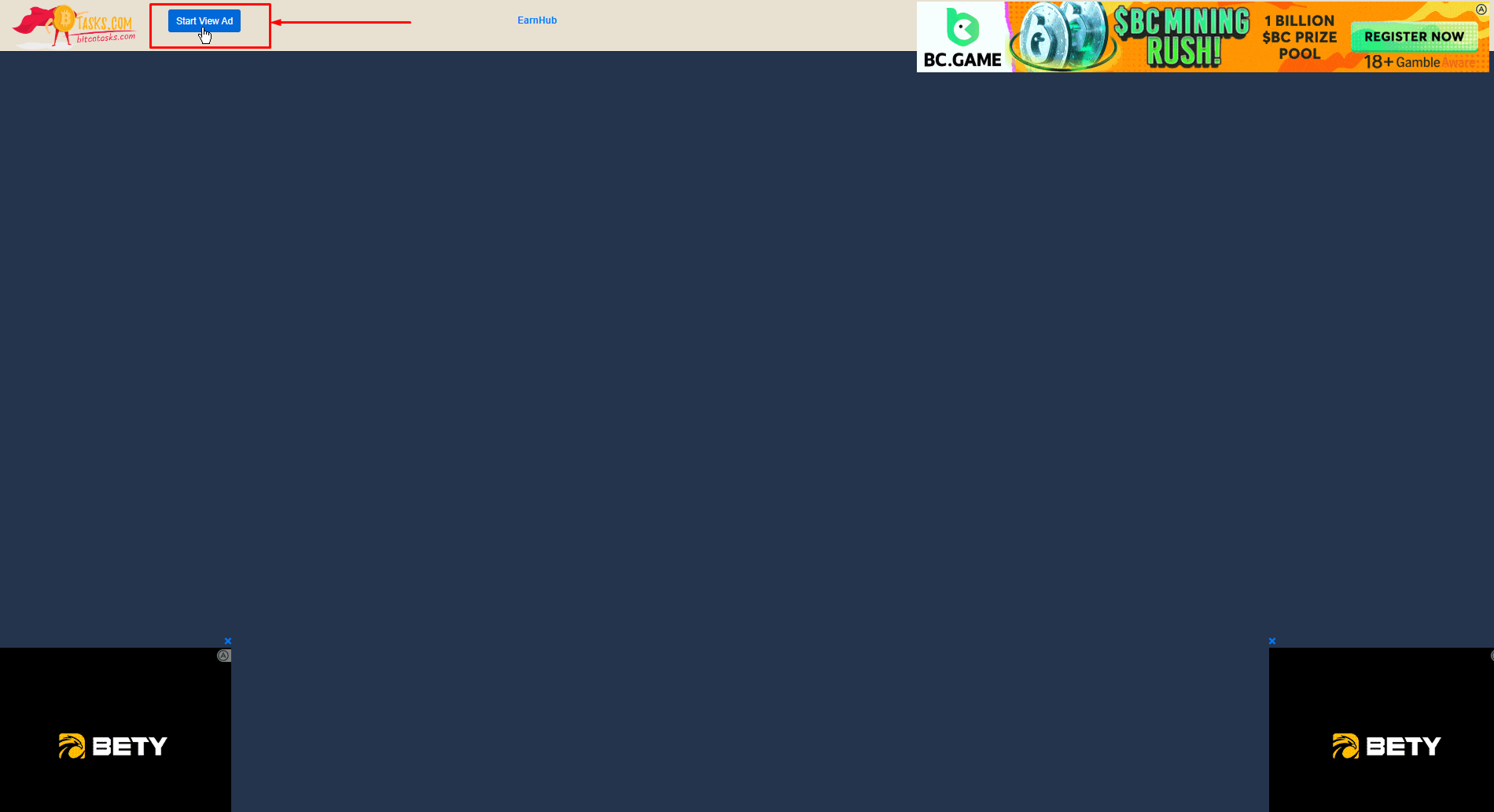
4. It will open up fully as a new tab in your browser, with a "***Start View Ad***" button at the top left corner of the page. Click on that to begin viewing the Ad
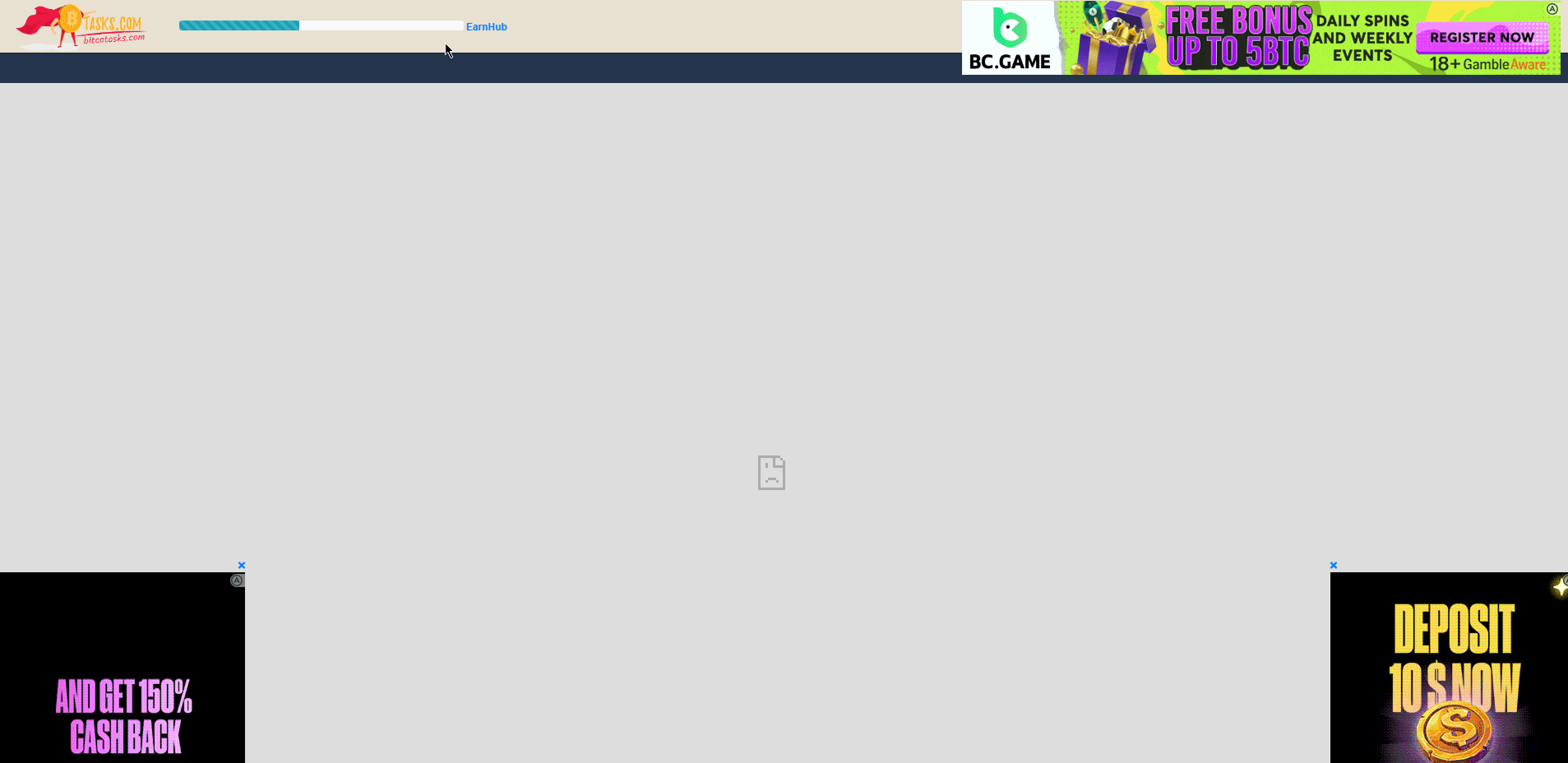
...it is important to note that, **Bitcotasks operates two (2) variants of PTC ads**. Hence, in some cases at this step, instead of getting a "*Start View Ad*" button, you'll see a **countdown represented by a blue bar progressively fill up automatically**. Illustrated in the image below:
5. Anyway, once you click "***Start View Ad***" you will be redirected and the ad to be viewed will open up in a new tab while you get a countdown signifying how much time is left for you to remain on the ad page
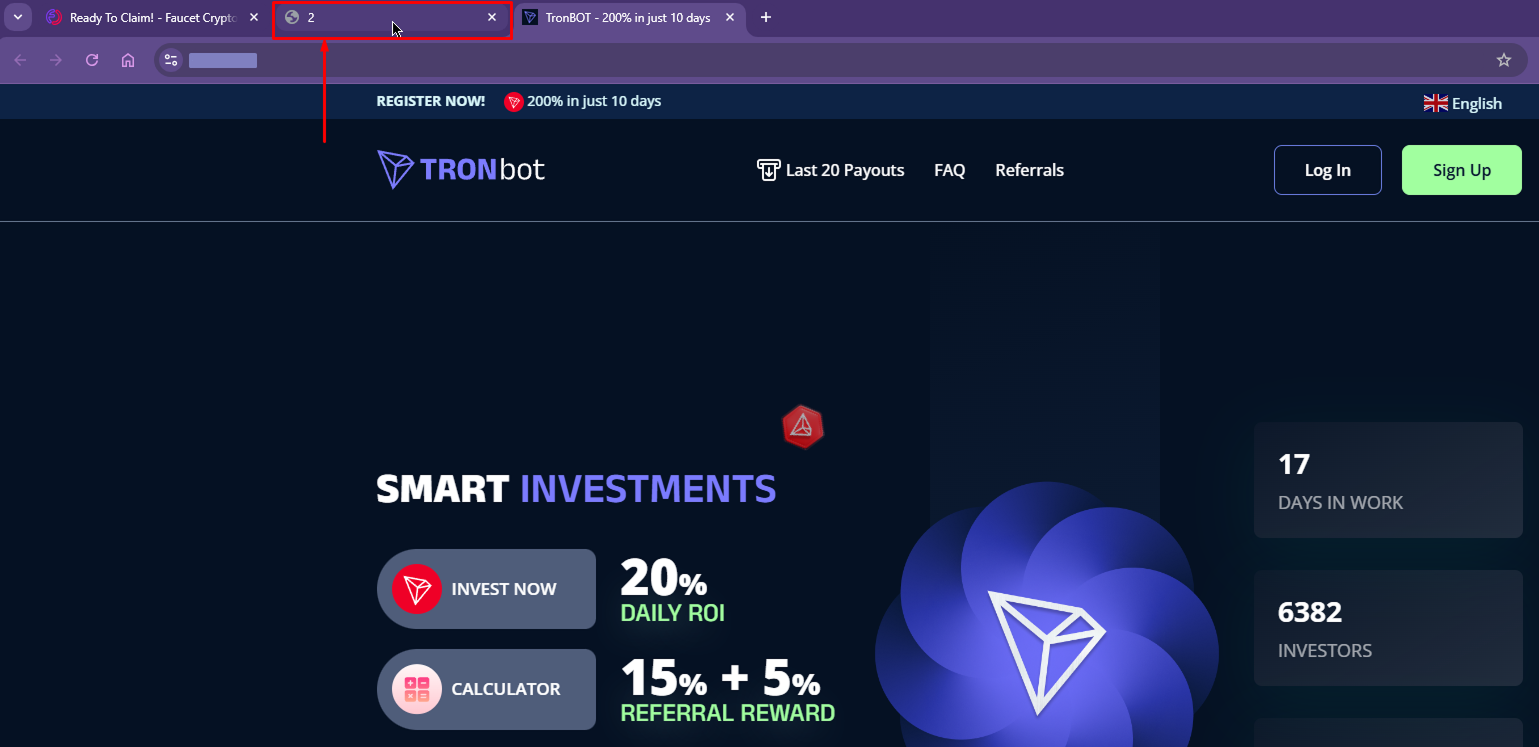
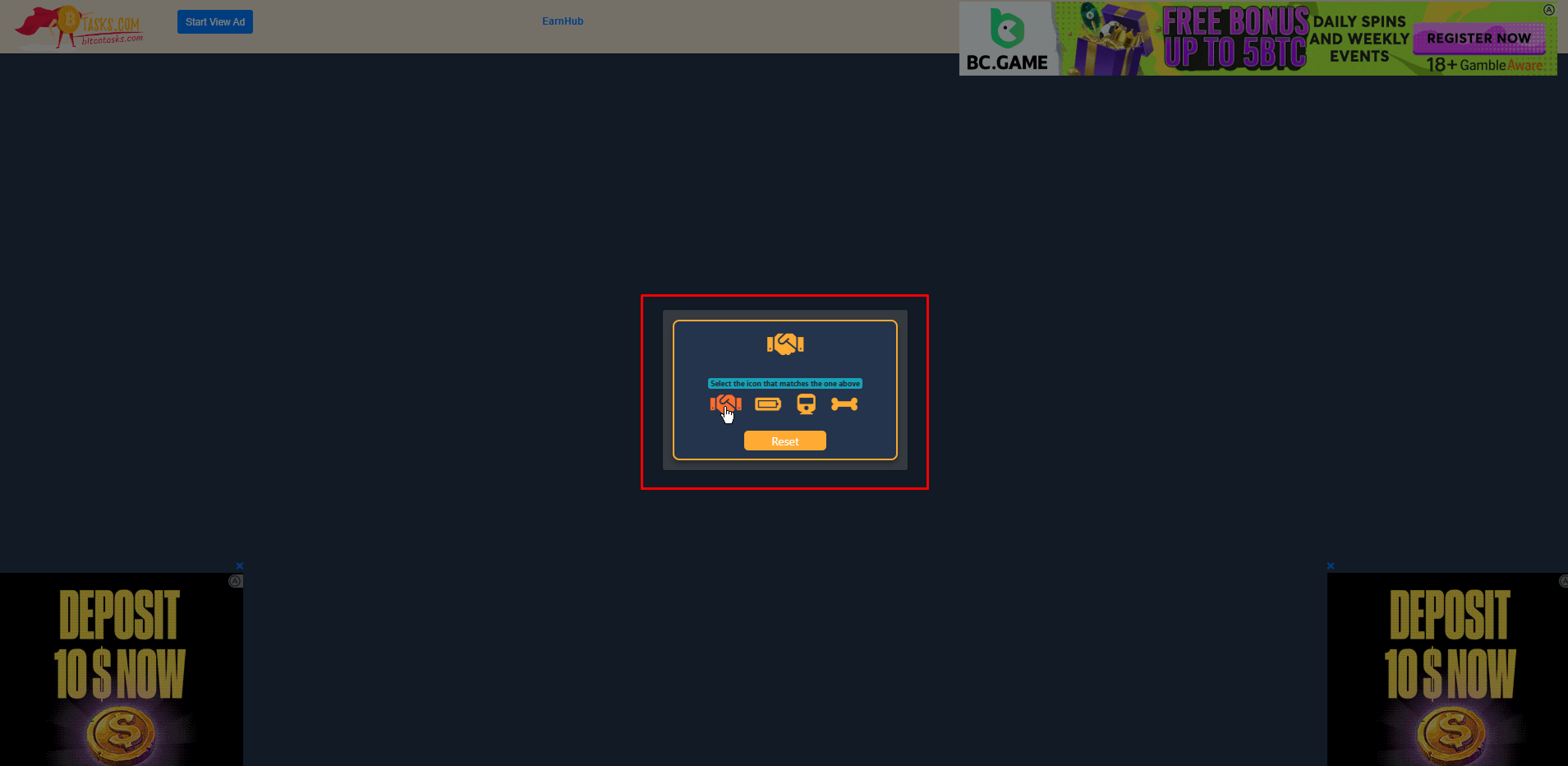
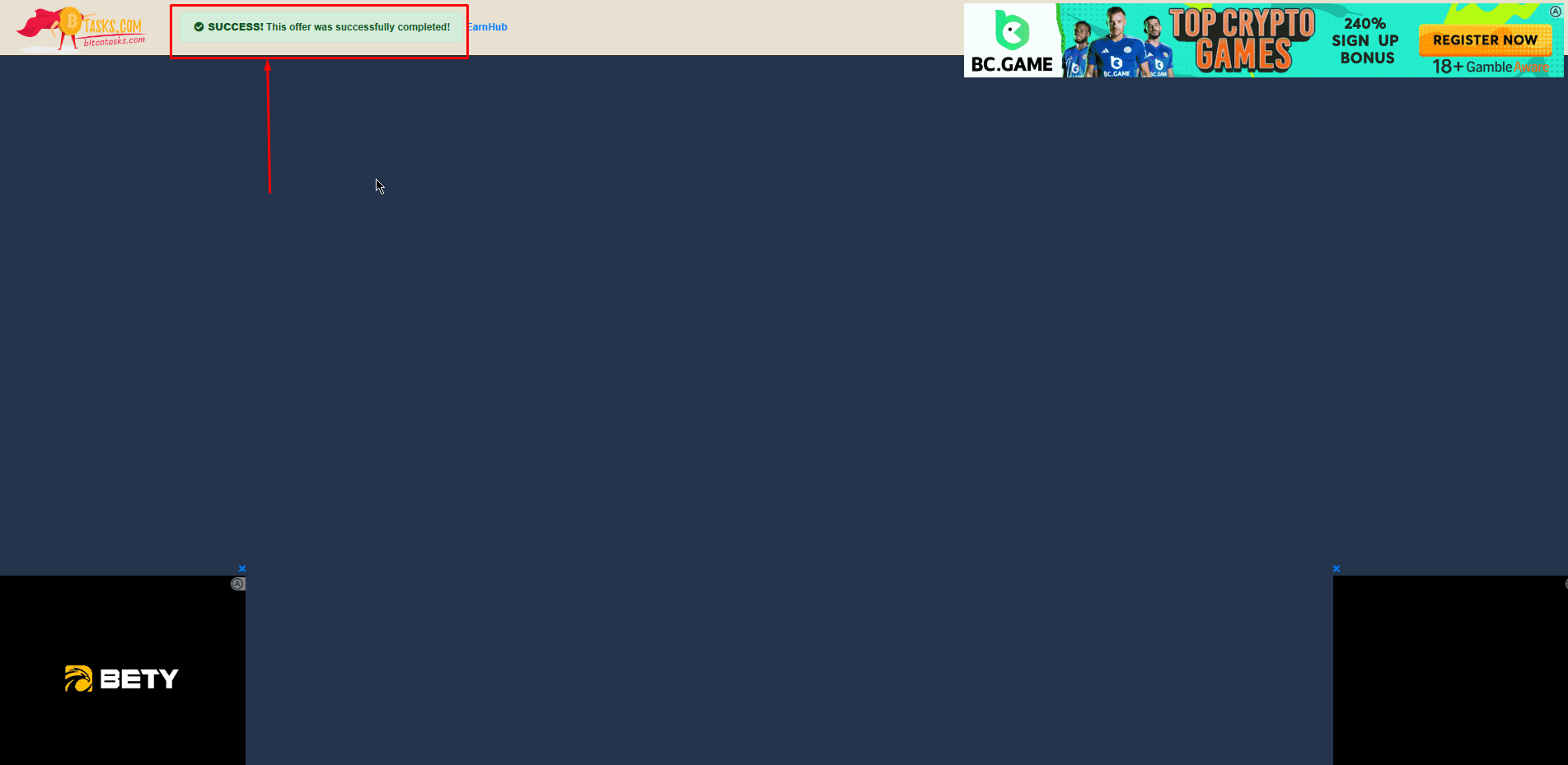
6. When the **countdown elapses** (or as in the 2nd type of Bitcotasks PTC ads, the blue progressive bar completely fills up), you'll **solve a captcha** on the Bitcotasks page. Once solved correctly, you'll see a **confirmative message at the top left corner** signifying you have successfully viewed the ad
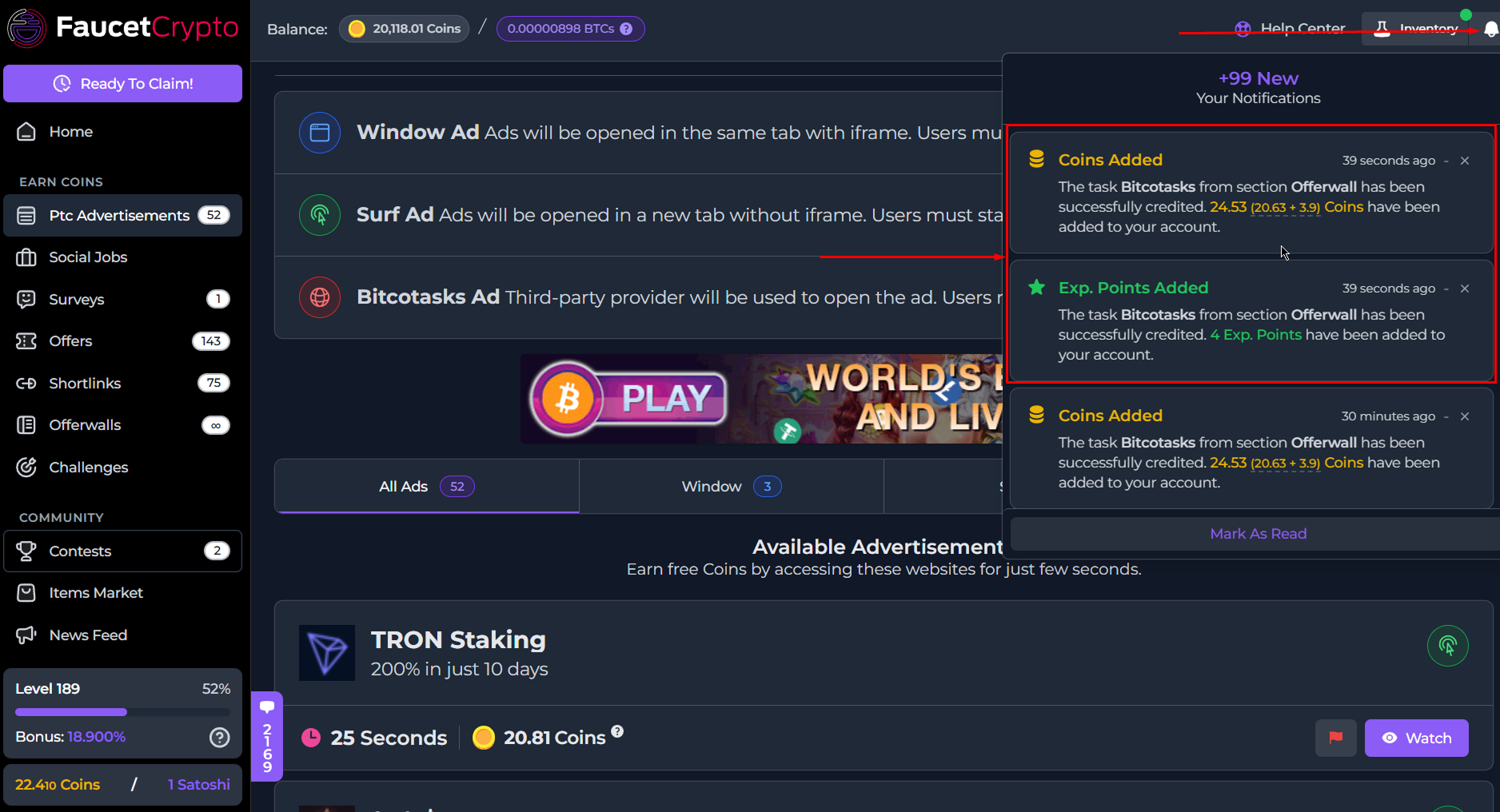
7. You may close all the tabs and **return back to our website. Refresh the page** and check your **notifications** (at the top right corner of your dashboard) to see a message about your reward, which have automatically been added to your account
**Note:** *You can complete Bitcotasks PTC ads on a laptop or mobile device.*
* *Ensure you have a stable internet connection*
* *Pay attention to any countdowns, and disable any adblockers in your browser as they interfere with the pages smooth operation*
This documentation is built and hosted on [Mintlify](https://mintlify.com), a developer documentation platform.