> ## Documentation Index
> Fetch the complete documentation index at: https://faucetcrypto.mintlify.site/llms.txt
> Use this file to discover all available pages before exploring further.
# I lost access to my Two-Factor Authentication (2FA) app. How can I access my Account?
If you happen to lose access to your 2FA app or device, to recover or have access to your account, you will have to access your account using your **Recovery Codes**. These codes were provided to you when you first enabled 2FA security for your account.
Please follow the instructions below:
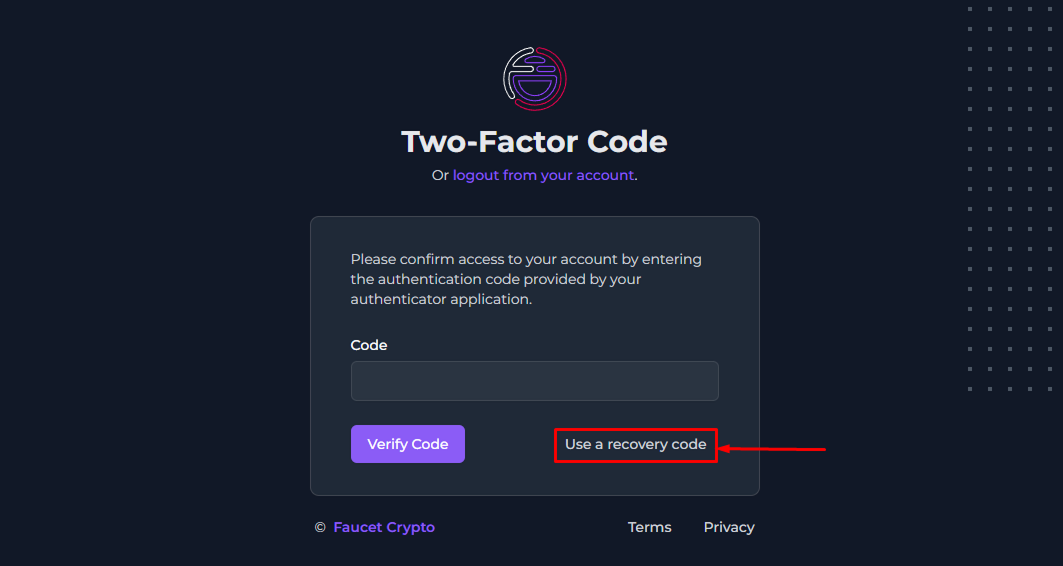
1. When attempting to log into your account, click on "***use a recovery code***"
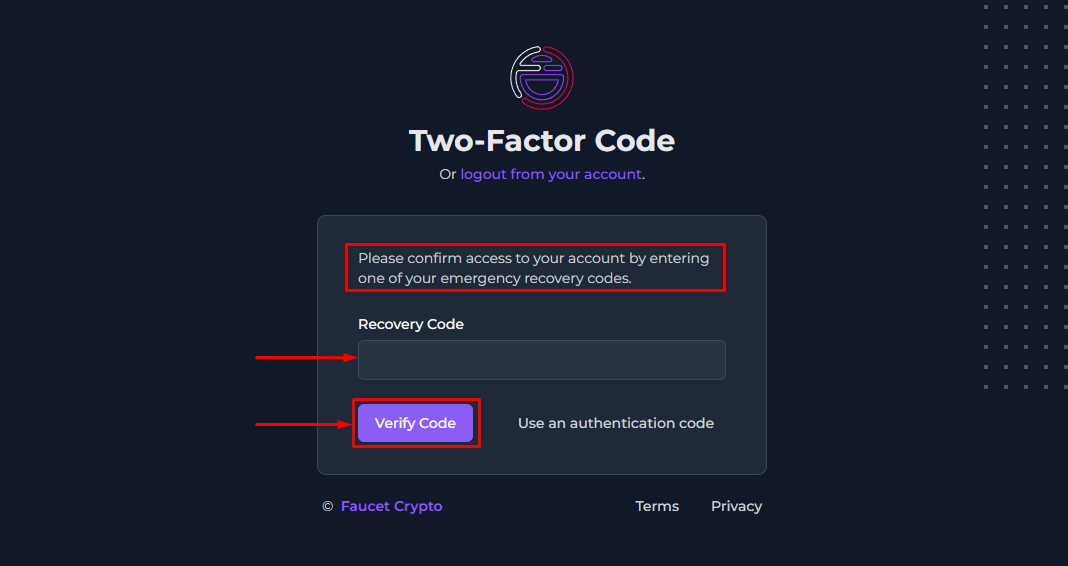
2. On the next screen, enter any of your emergency **recovery codes** which were provided to you when you first enabled 2FA security for your account. Then click on "***Verify Code***" to successfully login
Not sure what a recovery code is? Please refer to [this guide](https://knowledge-base.faucetcrypto.com/account-and-security/how-to-enable-disable-2fa-security?).
This documentation is built and hosted on [Mintlify](https://mintlify.com), a developer documentation platform.