> ## Documentation Index
> Fetch the complete documentation index at: https://faucetcrypto.mintlify.site/llms.txt
> Use this file to discover all available pages before exploring further.
# How to update my profile?
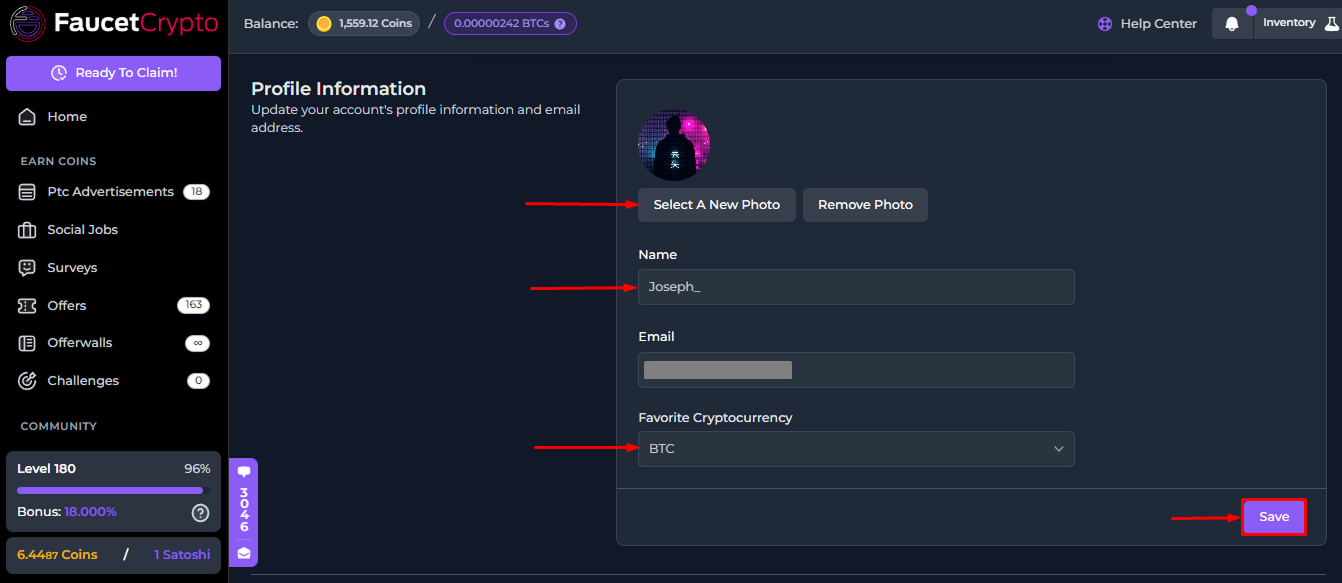
There may be a couple of reasons why you may want to update your profile after signing up. Changing your username, password, favorite cryptocurrency, and securing your account can all be done through your Account Profile settings.
To update your profile:
1. **Login** to your **Account**
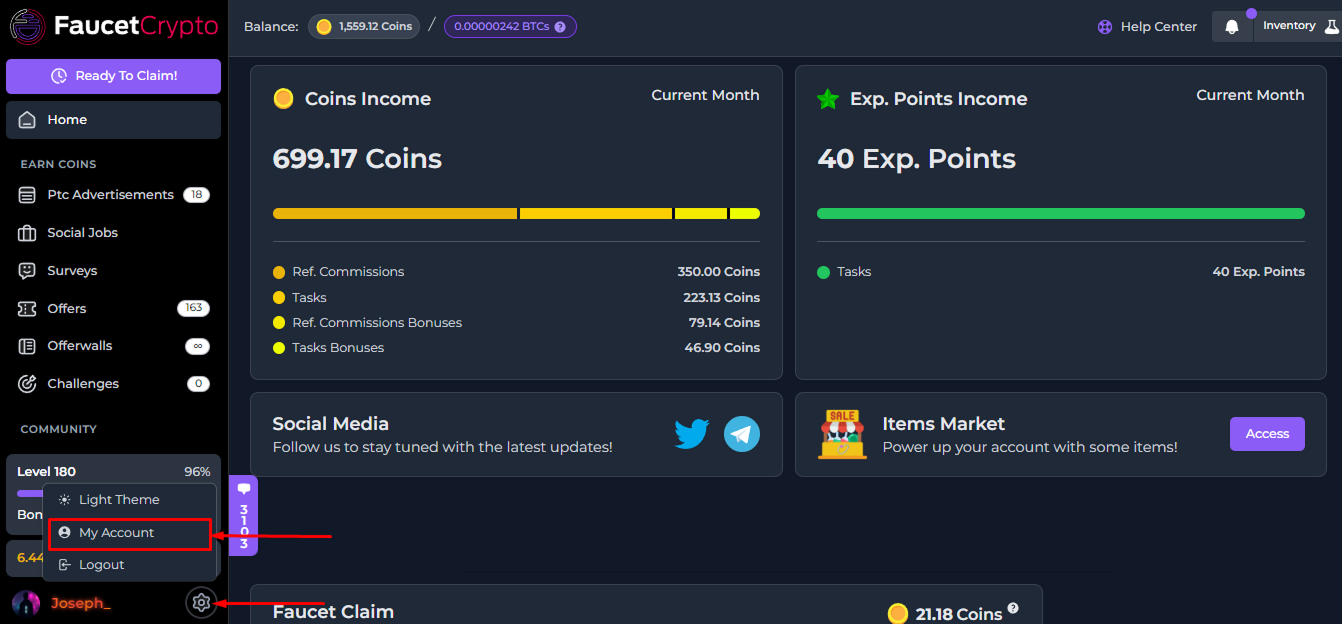
2. Click on the **Settings** icon at the bottom of the side menu and select "***My Account***" to access your Profile page
3. Once it opens, you will find the "***Profile Information***" box. Update the information you wish to, then click "***Save***"
This documentation is built and hosted on [Mintlify](https://mintlify.com), a developer documentation platform.