> ## Documentation Index
> Fetch the complete documentation index at: https://faucetcrypto.mintlify.site/llms.txt
> Use this file to discover all available pages before exploring further.
# How to delete my Account?
We are sorry to see you go and would be happier to have you around. But if you wish to delete your account, follow the steps below:
1. **Login** to your **Account**
2. Click on the **Settings** icon at the bottom of the side menu and select "***My Account***" to access your Profile page
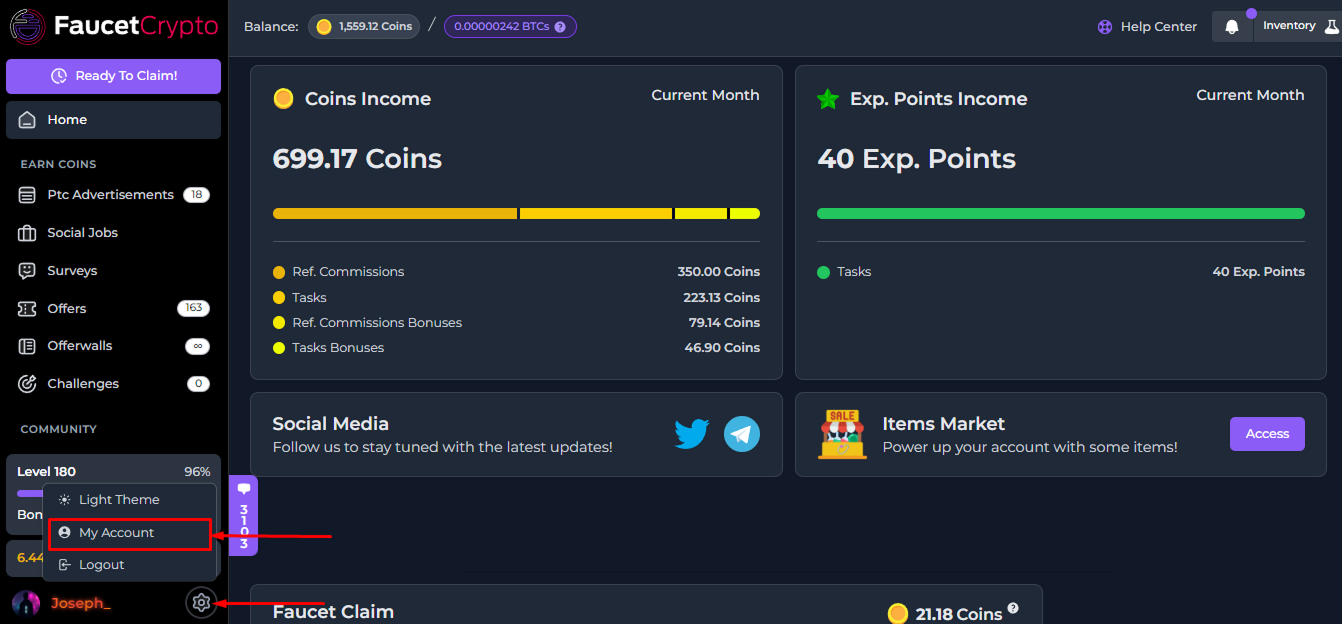
3. At the **Settings** page, scroll to the bottom to find the "***Delete Account***" box. Read the warning carefully, and click on the red "***Delete Account***" button to delete your account & data permanently
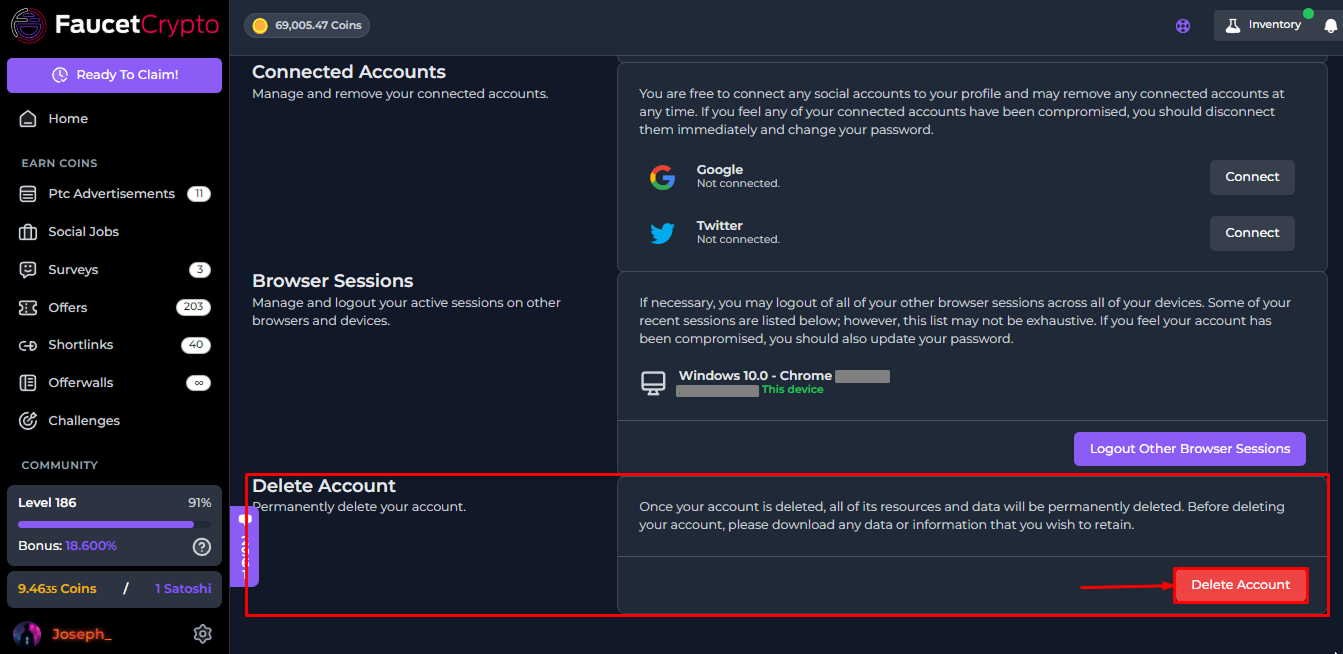
**Note:** *Be careful. Once an account is deleted, it cannot be recovered nor restored again*
This documentation is built and hosted on [Mintlify](https://mintlify.com), a developer documentation platform.