> ## Documentation Index
> Fetch the complete documentation index at: https://faucetcrypto.mintlify.site/llms.txt
> Use this file to discover all available pages before exploring further.
# How to reset or change password?
You can reset your Account's password in two (2) ways:
* On the **login page**, by clicking on "***Forgot Password***" and following the instructions.
* Changing it via your Profile settings.
***
### How to change your password via profile settings
To change your password via profile settings, please follow the instructions below:
1. **Login** to your **Account**
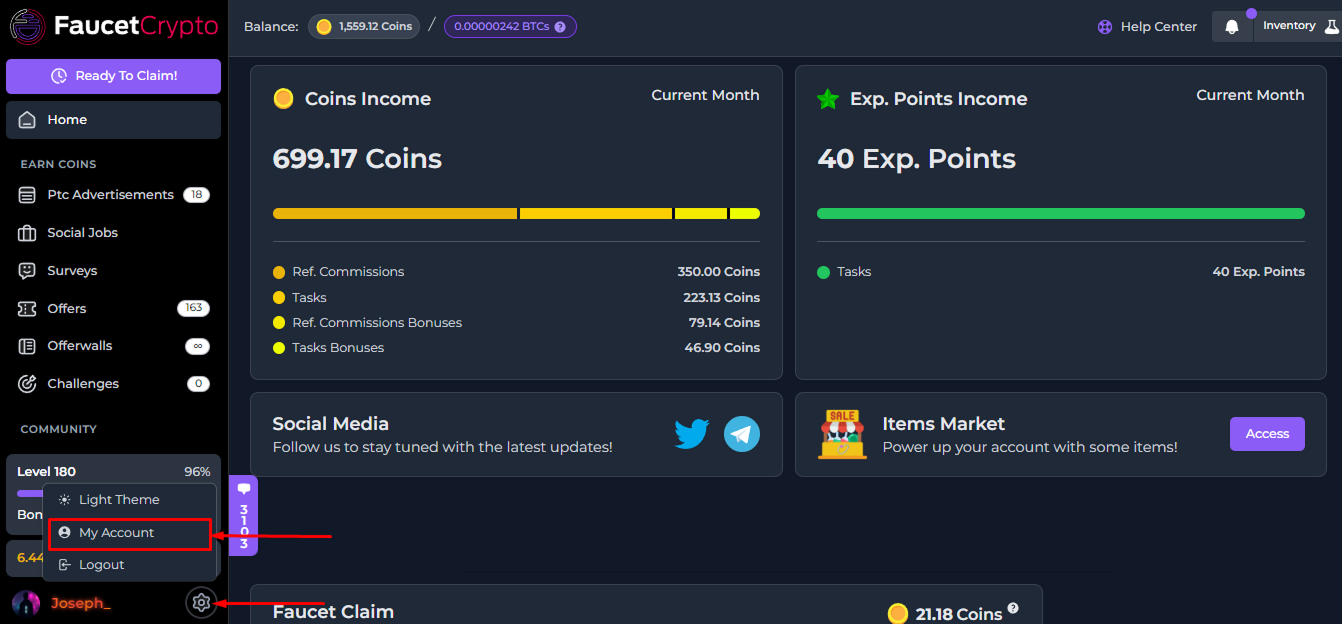
2. Click on the **Settings** icon at the bottom of the side menu and select "***My Account***" to access your Profile page
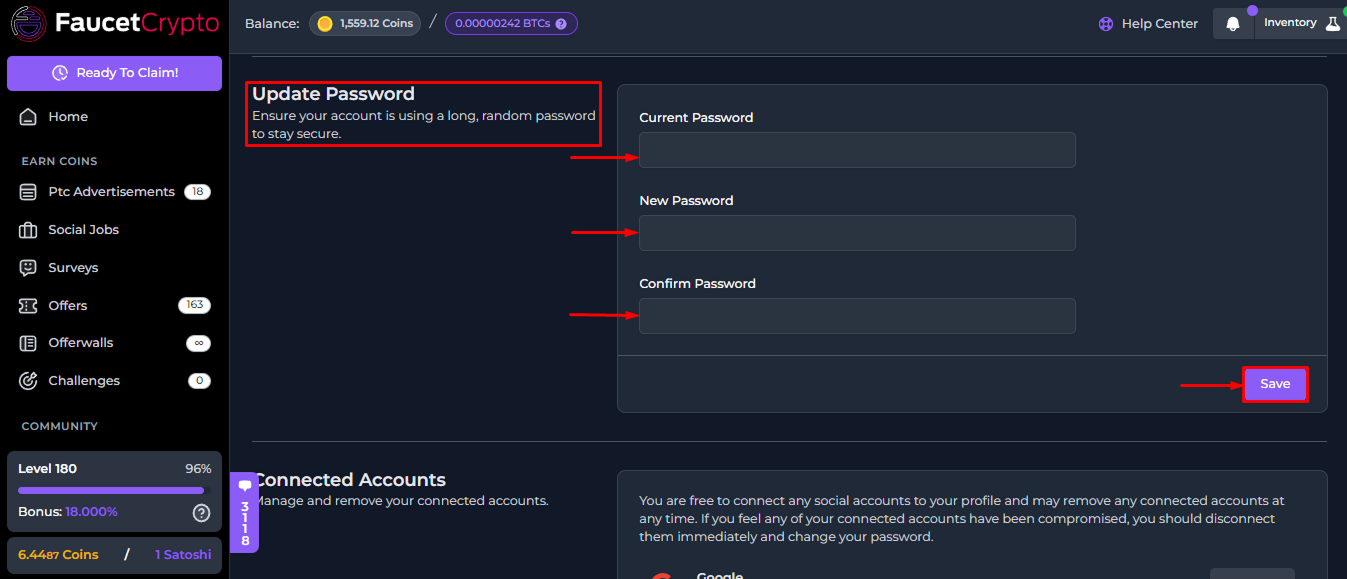
3. At your **Profile page**, scroll down till you find the "***Update Password***" box. Fill in the respective areas and click "***Save***"
**Tip:** *Make sure to always use a strong/unique password that is not reused on any other websites or services*
This documentation is built and hosted on [Mintlify](https://mintlify.com), a developer documentation platform.